How to Play on Your Phone Without Getting Caught by a Clone
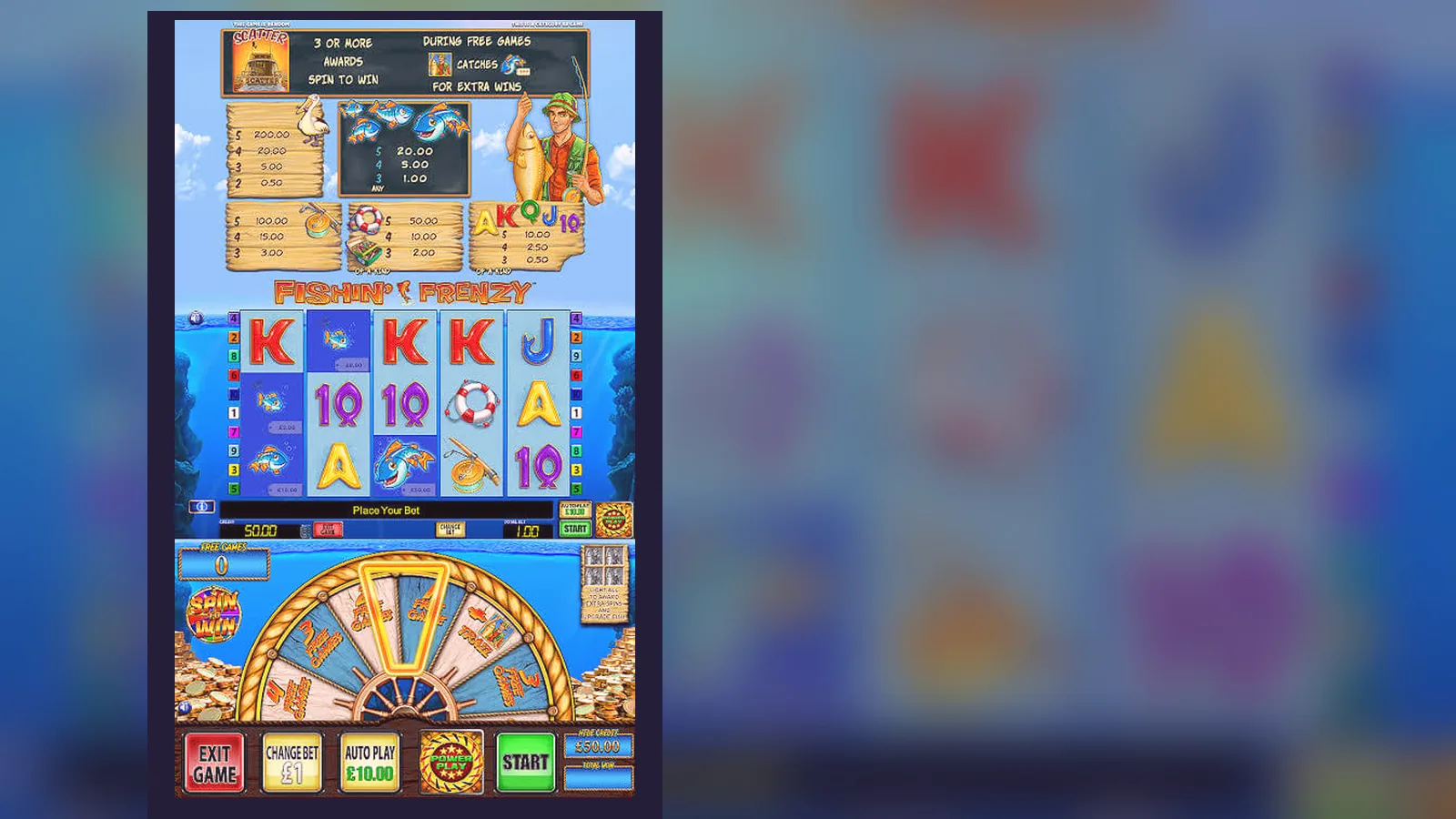
You're waiting for a bus. You pull out your phone, tap the bookmark, and the reels load before the 107 arrives. No download screen, no app-store faff — just the blue water and the bobbing fisher in his dinghy. That's how most people play Fishin' Frenzy on mobile in 2026: straight through the browser on a UKGC-licensed site, balance sitting at £18.40 from last night, ready to spin at 20p while the bus smells of damp coats and someone's crisps.
The question isn't whether you can play on a phone — you can, and it works fine — but which route you take to get there, and how you avoid the clones, dodgy APKs, and unlicensed mirrors that Google throws up when you search «Fishin Frenzy app download». This page walks through the real paths: browser play, add-to-home shortcuts, operator apps where they exist, and the risks of sideloading an APK from a forum. No hype, no promises — just the mechanics, the numbers, and what to check so you're not handing your debit-card details to a site that isn't in the UKGC register.
The Store Card That Doesn't Exist (and What the Real Numbers Look Like)
Fishin' Frenzy isn't on Google Play or the App Store as a standalone game. Blueprint Gaming licenses the slot to operators, so you'll find it inside casino apps or through mobile browsers, not as «Fishin' Frenzy by Blueprint». That means the clones and knock-offs you see in search results — «Fishing Frenzy Slots», «Fisher Mania», «Ocean Reel Catch» — are either unlicensed reskins or outright fakes hoping you won't notice the missing UKGC licence number in the footer.
If the game were listed as a reference card, here's what the real spec sheet would show — not because it's in a store, but so you know what to expect when you load it on a licensed site:
Those numbers matter because the clones get them wrong: a fake app will ask for a credit-card deposit (illegal here), skip age checks, or demand permissions your banking app doesn't need. The real game runs on a server; your phone is just the window.
Four Ways to Get It on Your Screen (and the Risk Profile of Each)
Most players take the browser route because it's instant and doesn't eat storage. But if you want a home-screen icon or you're already using an operator's app for sports or bingo, those paths work too. The APK route is where things get risky — not because sideloading is inherently dangerous, but because unlicensed sites use APKs to bypass app-store rules, and you've no way to verify what's inside the package before you install it.
Here's each path, step by step, with the trade-offs:
- **Browser Play (Lowest Risk, Zero Install)** · Open Chrome, Firefox, or Safari · Navigate to a UKGC-licensed casino site (check the footer for the licence number and cross-reference it in the public register at gamblingcommission.gov.uk) · Log in or create an account (you'll need to pass age verification: name, address, date of birth, and often a quick credit-reference check before deposit) · Find Fishin' Frenzy in the slots lobby or search bar · Tap to load · The game streams over HTTPS; HTML5 canvas renders the reels, your balance updates server-side after every spin · **Risk:** Negligible if the site is licensed. The game never leaves the server, so there's no install footprint and nothing to uninstall later. If you clear your browser cache, you'll re-download assets (~8 MB) next session, but that's it.
- **Add to Home Screen (Browser Shortcut, No Separate App)** · Load the casino site in your mobile browser · Open the browser menu (three dots on Android Chrome, share icon on iOS Safari) · Select «Add to Home Screen» (Android) or «Add to Home Screen» from the share sheet (iOS) · Name the shortcut (e.g., «Fishin' Frenzy» or the casino name) · The icon appears on your home screen; tapping it opens the site in a chromeless browser window, full-screen · You still need signal or Wi-Fi; the shortcut just skips typing the URL · **Risk:** Same as browser play — you're still hitting the licensed site, just faster. The shortcut is a bookmark, not a native app, so it can't request file-system or contact permissions. If the site's licence lapses or the operator exits the UK market, the shortcut becomes a dead link.
- **Operator App from Google Play or App Store (Official, Vetted by Store)** · Some UKGC-licensed casinos publish apps: a catalogue of slots, live tables, and sports in one package · Search the operator's name in Google Play (Android) or App Store (iOS) — not «Fishin' Frenzy», because Blueprint doesn't publish a standalone slot app · Download the operator's app (40–90 MB depending on how many games they bundle) · Install, open, log in with your existing account or create one through the app · Navigate to slots, find Fishin' Frenzy, tap to launch · The app is a container; the game itself still runs server-side, but the UI feels more app-like (smoother animations, persistent login, push notifications for bonuses if you enable them) · **Risk:** Low if you download from the official store and verify the developer name matches the casino's legal entity (check the «about» section in the app listing and cross-reference the UKGC register). The store vets apps for malware, but an app uses more battery and storage than browser play, and you'll need to update it when the operator pushes a new version. If you're only playing Fishin' Frenzy, a 70 MB app for one slot is overkill.
- **APK Sideload (High Risk, Only Relevant If You're Locked Out of Stores)** · You find a forum post or Telegram group offering «Fishin Frenzy APK latest version» · You download a .apk file to your phone · Android asks you to enable «Install from Unknown Sources» in Settings · You install the APK; it requests permissions: storage, contacts, camera, SMS · You open it; the interface looks like a casino, but the footer has no UKGC licence, the privacy policy is a Lorem Ipsum placeholder, and deposits go to a payment processor in Curaçao · **Risk:** Extremely high. You've bypassed every safeguard: no app-store vetting, no UKGC oversight, no GAMSTOP integration, no affordability checks. The APK could be legitimate software from an unlicensed operator, or it could be a trojan that harvests your banking credentials, intercepts SMS two-factor codes, or plants adware. Even if the game plays, you've no recourse if the operator refuses to pay out, because they're not in the UK regulatory framework. The «latest version» promise is bait; legitimate operators don't distribute APKs outside official stores for UK players. If you're considering this path, ask why the operator isn't on Google Play — the answer is usually «because they'd fail compliance checks».
What You'll See When the Game Loads (Five Screens, Described in Words)
The mobile layout compresses the desktop interface into portrait or landscape view, depending on your preference. Here's what each screen does, in the order you'll encounter them:
- **Lobby or Game-Select Screen (Operator-Specific)** · A grid or scrollable list of slot thumbnails, with Fishin' Frenzy showing the fisher in his boat, blue water, cartoon fish · Search bar at the top, filters for provider or theme on some sites · Tap the thumbnail; a loading spinner appears for 2–4 seconds while the game assets stream in · Some sites show a quick-info panel: RTP (96.12% for the original, 95.02% for Megaways variants, though operators aren't required to display this), max win, volatility · If you're in demo mode, a banner at the top says «Play for Fun» or «Demo Balance: £100.00»; if real-money, your actual balance sits in the top-right corner
- **Main Reel Screen (Where You Spend 90% of Your Time)** · Five reels, three rows, ten fixed paylines (or 117,649 ways on Megaways) · Symbols: low-pay card ranks (10, J, Q, K, A) in bubbly fonts, high-pay themed icons (rod and reel, tackle box, dragonfly, lifebuoy) · The fisher bobbing in his yellow dinghy is the wild; the pelican or fishing-rod scatter triggers free spins · Control strip at the bottom: coin value (tap to open a slider or preset buttons: £0.10, £0.20, £0.50, £1.00, £2.00, £5.00 — the £5.00 option is greyed out if you're 18–24), total stake display, spin button (big, circular, usually green or blue), auto-play toggle, paytable link · Balance and current win flash in the top corners; on a phone, these numbers shrink to fit, so you're not squinting, but the font is smaller than desktop · Landscape mode gives you more reel estate; portrait mode stacks controls and compresses the reels vertically — try both and see which feels less cramped
- **Free-Spins Trigger Screen (If You Land Three Scatters)** · The reels freeze; an animation plays: the fisher casts his line, a fish leaps, a banner unfurls: «10 Free Spins!» (number varies: 10, 15, or 20 depending on scatter count) · The screen transitions to the free-spins reel set, which looks identical but uses a different RNG cycle (the maths model is the same; the sequence just starts from a new seed) · During free spins, every fish symbol that lands is collected by the fisher; at the end of the feature, the fisher «catches» them all at once, and each fish reveals a prize multiplier (×2, ×5, ×10, up to ×50 in some variants) · The total win from the feature adds to your balance in one lump; if you triggered on a 50p stake and collected 12 fish averaging ×8 each, you might see £48.00 credited · A button appears: «Collect and Return to Base Game» — tap it, and you're back to the main reels
- **Paytable Screen (Tap the «i» or Menu Icon)** · Scrollable panel showing symbol payouts: five kings pay 5× your stake, five lifebuoys pay 50×, five wilds pay 500× · Explanation of the free-spins feature and fish-collection mechanic · RTP figure (if the operator displays it; not mandatory under UK law, so some omit it) · Rules about wild substitution and scatter payouts · No mini-games or pick bonuses in the original Fishin' Frenzy; the paytable is shorter than most modern slots · A «Close» or «Back» button returns you to the reels
- **Settings and Account Overlay (Hamburger Menu or Profile Icon)** · Stake history: your last 20–50 spins, with timestamps and win/loss per spin · Deposit and withdrawal links (redirects to the operator's cashier, not in-game) · Sound and graphics toggles: turn off the splashing water and seagull caws if you're on a quiet train · Reality-check timer: a reminder every 60 minutes showing session length and net position, mandatory under UKGC rules since 2020 · Responsible-gambling links: deposit limits (set daily, weekly, or monthly caps), GAMSTOP self-exclusion, session time-outs · Log-out button · On mobile, this menu is a slide-in panel from the left or right edge; on desktop, it's often a persistent sidebar
The mobile build doesn't add features or remove mechanics; it's the same game, reformatted for a 6-inch screen. The biggest difference is tap instead of click, and slightly slower response if your signal dips below 4G.
Phone Requirements (and Why a 2019 Android Still Works Fine)
Fishin' Frenzy runs in an HTML5 canvas, which means any phone that can load a modern website can play it. You don't need a flagship processor or a 120 Hz display — the game was optimised for mid-range devices in 2015, and hardware has only improved since. Here's the practical floor:
- **Operating System:** Android 7.0 (2016) or iOS 12 (2018) at minimum; most UKGC casino sites require a browser that supports TLS 1.2 and modern JavaScript, which rules out anything older. If your phone runs Android 9 or iOS 13 and up, you're comfortably in the clear.
- **Processor:** Any quad-core chip from 2017 onwards handles the reel animations without stutter. The game doesn't use hardware acceleration for 3D; it's all 2D sprites and tweens, so even a Snapdragon 625 or Apple A10 will spin smoothly at 60 fps. If you're on a budget handset from 2022 (MediaTek Helio or Unisoc), no problem.
- **RAM:** 2 GB minimum, 3 GB comfortable. The game itself uses ~200 MB in memory; the browser shell adds another 300–500 MB depending on how many tabs you have open. If you've 4 GB or more, you won't notice any slowdown. Below 2 GB, expect the occasional reload if you switch apps mid-session.
- **Storage:** Browser play needs ~8–12 MB cached; an operator app takes 40–90 MB installed. Either way, it's a rounding error on a 64 GB phone. If you're down to your last 500 MB of free space, clear some photos first, but storage isn't the bottleneck here.
- **Display:** Any resolution from 720p (1280×720) up. The game scales to fit, so a 1080p or higher screen just gives you crisper fish and clearer text. If you're on a 5.5-inch display or smaller, portrait mode can feel cramped; landscape opens it up.
- **Connection:** 3G works but loads slowly (10–15 seconds for initial assets); 4G is smooth (2–4 seconds); 5G or Wi-Fi is instant. The game doesn't stream video; it's vector sprites and bitmap textures, so data use is light: ~1–2 MB per 10-minute session after the first load. If you're on a capped mobile plan, you'll burn more data watching a single Instagram story than playing an hour of Fishin' Frenzy.
- **Battery:** Expect 3–4 hours of continuous play on a 3000 mAh battery (typical 2020–2022 mid-range). The screen is the main drain, not the game logic. Brightness at 50%, Wi-Fi on, other apps closed — you'll get through a commute and then some. If you're playing in an operator app with push notifications and location services enabled, battery life drops by 20–30%; turn those off if you're not using them.
The short version: if your phone can load BBC News or Instagram without lag, it can run Fishin' Frenzy. The game's technical demands are modest because Blueprint built it for the widest possible device base. A flagship from 2019 will feel identical to a flagship from 2025; the limiting factor is your signal, not your chip.
What the App Actually Does (and What It Doesn't Need to Do)
When you load Fishin' Frenzy in a browser or operator app, here's what happens under the bonnet:
- **Session Handshake:** Your device sends a session token to the operator's server (HTTPS encrypted); the server checks your account status, balance, and any active limits (stake caps, deposit limits, cool-off periods). If you're logged out or your session expired, you're bounced to the login screen.
- **Asset Download:** The game client — JavaScript, sprite sheets, audio files — streams to your browser cache. First load: 8–12 MB. Subsequent loads: only changed files, usually under 500 KB. The operator's CDN serves these files from a node near you (London, Manchester, or Dublin for UK players), so latency is 20–50 ms.
- **RNG Call:** Every time you tap spin, your device sends a bet request (stake amount, game ID, session token) to Blueprint's RNG server. The server generates a random outcome (reel positions, symbol placements), checks the paytable, calculates the win, deducts your stake, adds the win to your balance, and sends the result back as a JSON packet. Your device receives this packet and plays the reel-spin animation to match the pre-determined outcome. The spin animation is cosmetic; the result was decided server-side before the reels started moving.
- **Balance Update:** Your balance changes are logged in the operator's database and reflected in the UI. If you win £12.50 on a £1.00 spin, the server writes +£11.50 to your account; your browser updates the balance display from £23.00 to £34.50.
- **Reality Check:** Every 60 minutes (some operators set it to 30 or 90), the app interrupts with a pop-up: «You've been playing for 62 minutes. Your net position: −£8.40. Take a break?» You can dismiss it or log out. This is a UKGC requirement; you can't disable it.
- **History Logging:** Every spin, deposit, withdrawal, and bonus is recorded and available in your account history. The UKGC requires operators to keep this data for five years and make it available to you on request. In-app, you'll see the last 50–100 spins; beyond that, request a CSV export from customer support.
What the app doesn't need to do:
- Access your contacts, SMS, or call log (if an app asks for these, it's a red flag)
- Use your camera or microphone unless you're uploading KYC documents or verifying your identity with a video selfie (one-time, during the account-verification process; never during gameplay)
- Access your photo library beyond the document-upload flow
- Run in the background when you're not playing (legitimate casino apps pause when minimised; if your battery drains while the app is closed, something's wrong)
- Install additional packages or request admin privileges
Spotting a Fake Clone Before You Hand Over Your Card Details
The search term «Fishin Frenzy app» returns a mix of real operator listings, affiliates, and clones. Some clones are reskins (a different game pretending to be Fishin' Frenzy); others are unlicensed mirrors (the real game, hosted by an operator with no UKGC licence). Both are risky, but for different reasons: the reskin wastes your time, the unlicensed mirror wastes your money.
Here's a checklist to separate the real thing from the imposters:
| Check | Real (UKGC-Licensed Site) | Fake or Unlicensed |
|---|---|---|
| Footer Licence Info | UKGC licence number (format: 000-000000-R-000000-xxx, eight or nine digits); link to the Gambling Commission register; company registration number; registered address in the UK or Gibraltar | No licence number, or a Curaçao eGaming number (format: 1668/JAZ or similar), or an MGA licence (Malta, but not valid for UK advertising without a UKGC partnership) |
| GAMSTOP Integration | Mentions GAMSTOP in footer or responsible-gambling section; you can self-exclude by registering at gamstop.co.uk and the site will block you within 24 hours | No mention of GAMSTOP, or claims «GAMSTOP-free» as a selling point (illegal to market to UK players if you're not in the scheme) |
| Payment Methods | Debit card (Visa/Mastercard), PayPal, Apple Pay, Open Banking, paysafecard; no credit cards (banned since April 2020) | Accepts credit cards, cryptocurrency only, or payment processors you've never heard of (AstroPay, ecoPayz, Neteller are legitimate, but if the site *only* offers crypto or wire transfer, be cautious) |
| Stake Caps | Maximum £5.00 per spin for players 25+; £2.00 per spin for 18–24 (implemented April 2024, enforced via age verification at deposit) | No stake cap mentioned, or caps above £5.00, or no age differentiation |
| Affordability Checks | Mentions checks starting from £150 net deposits per month (introduced October 2024, using credit-reference data at the first threshold, full financial review at £1,000) | No mention of affordability, or claims «no limits, no checks» (illegal under current UKGC rules) |
| Withdrawal Times | Faster Payments (1–2 days), e-wallets (few hours to 24 hours), first withdrawal 24–72 hours due to KYC document review | Instant withdrawals with no verification, or withdrawal times of 7–14 days with vague «processing» excuses |
| Developer Credit | Footer or paytable says «Powered by Blueprint Gaming» or shows the Blueprint logo; the operator is listed as the licence holder, not Blueprint (Blueprint licenses the game, they don't operate casinos) | Claims to be «official Fishin Frenzy app by Blueprint» (Blueprint doesn't publish consumer-facing apps), or no mention of Blueprint at all (it's a reskin) |
| App Store Presence | Operator app in Google Play or App Store with 1,000+ reviews, developer name matches the casino's legal entity, privacy policy links to a real company address | APK-only download, no app-store listing, or an app-store entry with <50 reviews, broken English in the description, and a developer name like «Fun Slots Ltd» with no web presence |
| Graphics Quality | Matches official Blueprint screenshots: cartoon fisher in yellow dinghy, clean HUD, consistent font | Pixelated graphics, mismatched fonts, or a completely different art style (e.g., realistic 3D fish instead of cartoon sprites — that's a reskin, not the original game) |
| RTP Disclosure | If shown, states 96.12% (original), 95.02% (Megaways), or similar; if not shown, the operator isn't required to display it, but the game pays out the same either way (it's server-side) | Claims RTP of 99%, 101%, or «highest payout in the industry» (impossible; the theoretical RTP is set by Blueprint and doesn't vary by operator) |
The easiest single check: search the operator's name in the UKGC register (www.gamblingcommission.gov.uk, «Public register» section). If they're not listed, they can't legally serve UK players, and you've no protection if they refuse to pay out. The second-easiest check: look at the footer. If it says «Curaçao» or «Belize» or «Costa Rica», close the tab.
One more trap: affiliates who mirror the game in an iframe and take a cut of your deposits. The game itself is real (it's streaming from a licensed operator), but the site wrapping it isn't the operator — it's a middleman. Check the domain in your browser bar: if it's not the operator's main site, you're in an affiliate frame, and while this isn't illegal, it muddies accountability. Go direct to the operator when possible.
FAQ
Do I need to download anything to play Fishin' Frenzy on my phone, or does it work in the browser?
Browser play is the default and requires no install — just navigate to a UKGC-licensed casino site, log in, and tap the game. The reels load in 2–4 seconds over 4G or Wi-Fi. If you want a home-screen shortcut, use your browser's «Add to Home Screen» function; it creates a bookmark that opens the site in a chromeless window, but you're still playing through the browser, not a native app. Some operators publish apps on Google Play or the App Store (40–90 MB installed), which bundle Fishin' Frenzy with their full slot catalogue — convenient if you play other games too, overkill if you only want one slot. Standalone «Fishin Frenzy» apps don't exist in official stores; Blueprint licenses the game to operators, they don't publish consumer apps. Any APK labelled «Fishin Frenzy official» outside Google Play is either unlicensed or a fake.
What's the risk of downloading a Fishin' Frenzy APK from a forum or third-party site?
High. APKs bypass app-store vetting, so you've no guarantee the package is clean or that the operator behind it is licensed. Even if the game plays, an unlicensed site isn't bound by UKGC rules: no GAMSTOP integration, no stake caps, no affordability checks, no legal recourse if they refuse to pay a withdrawal. Worse, an APK can request permissions (contacts, SMS, camera) the game doesn't need, which opens the door to credential theft or adware. Legitimate UKGC operators distribute through browser or official-store apps; if an operator is steering you toward an APK, ask why they're not on Google Play — the usual answer is they'd fail compliance checks. If you're locked out of app stores for some reason and must sideload, at least verify the operator's UKGC licence number in the public register before installing, and check the APK permissions in Android's app-info screen before granting access. But the safest move is browser play: no install, no permissions, no risk.
How do I know if a mobile casino site is licensed and safe, or if it's a clone pretending to offer Fishin' Frenzy?
Check the footer for a UKGC licence number (format: 000-000000-R-000000-xxx), then cross-reference it in the Gambling Commission's public register at gamblingcommission.gov.uk. If the operator isn't listed, they can't legally serve UK players, regardless of what the site claims. Other red flags: accepting credit cards (banned since 2020), no mention of GAMSTOP, no stake caps or caps above £5.00, no affordability-check disclosure, or withdrawal times advertised as «instant with no verification» (KYC is mandatory before the first payout; 24–48 hours is normal). If the site only offers cryptocurrency deposits or payment methods you've never heard of, be cautious. The graphics in the game itself should match Blueprint's official screenshots: cartoon fisher, yellow dinghy, clean HUD. If the reels look different — realistic 3D fish, a different colour palette, mismatched fonts — you're playing a reskin, not the original. Finally, search the operator's name plus «review» or «complaints»; a pattern of refused withdrawals or vanished bonuses is a clear signal to walk away. When in doubt, stick to operators with a long UK presence (Betfair, William Hill, Paddy Power, Grosvenor, Sky Betting & Gaming brands) — they're all in the UKGC register, and their mobile sites and apps are vetted.